On-call rotations
your team won't hate.
Fair scheduling with automatic escalation. Set up in under 5 minutes.
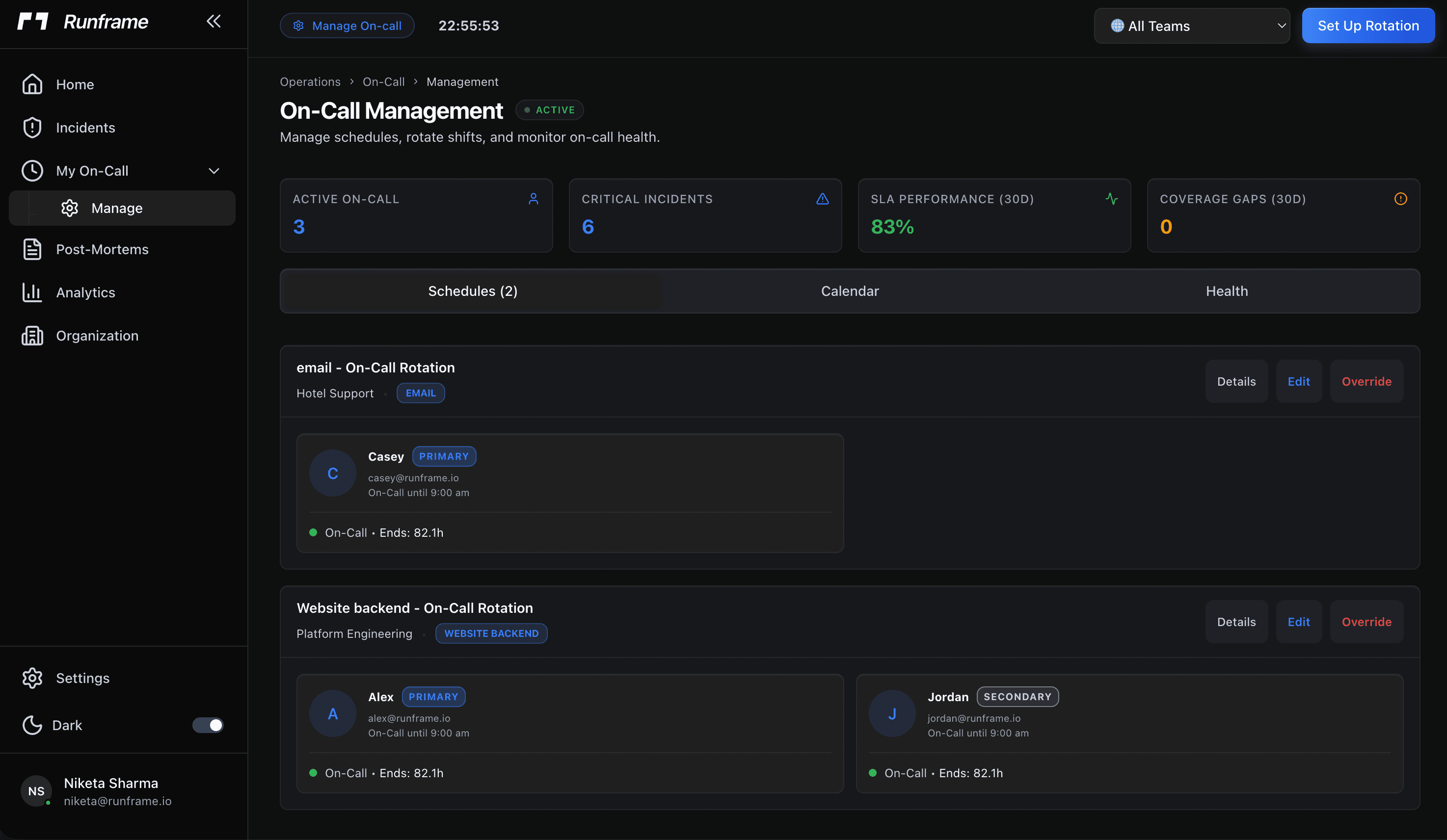
Pick a rotation cycle that fits your team
Daily
Follow-the-sun teams
Weekly
Most common
Biweekly
Small teams
Monthly
Low-volume services
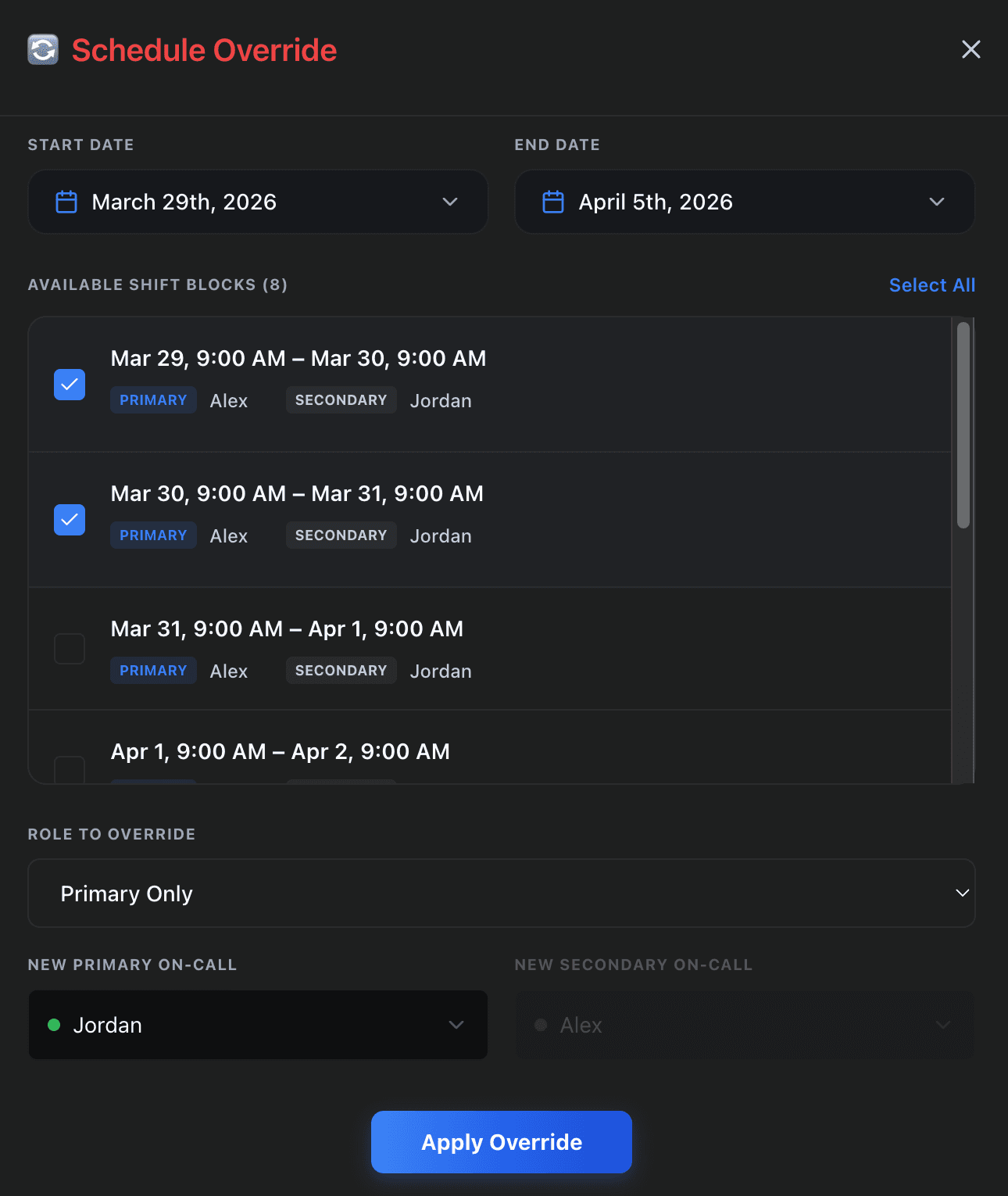
Overrides and swaps without the bottleneck
When an engineer needs time off or wants to trade a shift, they handle it themselves. They open the calendar, select the shift, and request a swap or create an override. The other engineer approves with one click. The schedule updates immediately. No manager in the loop, no Slack thread that gets buried, no spreadsheet that goes stale the moment someone makes a change.
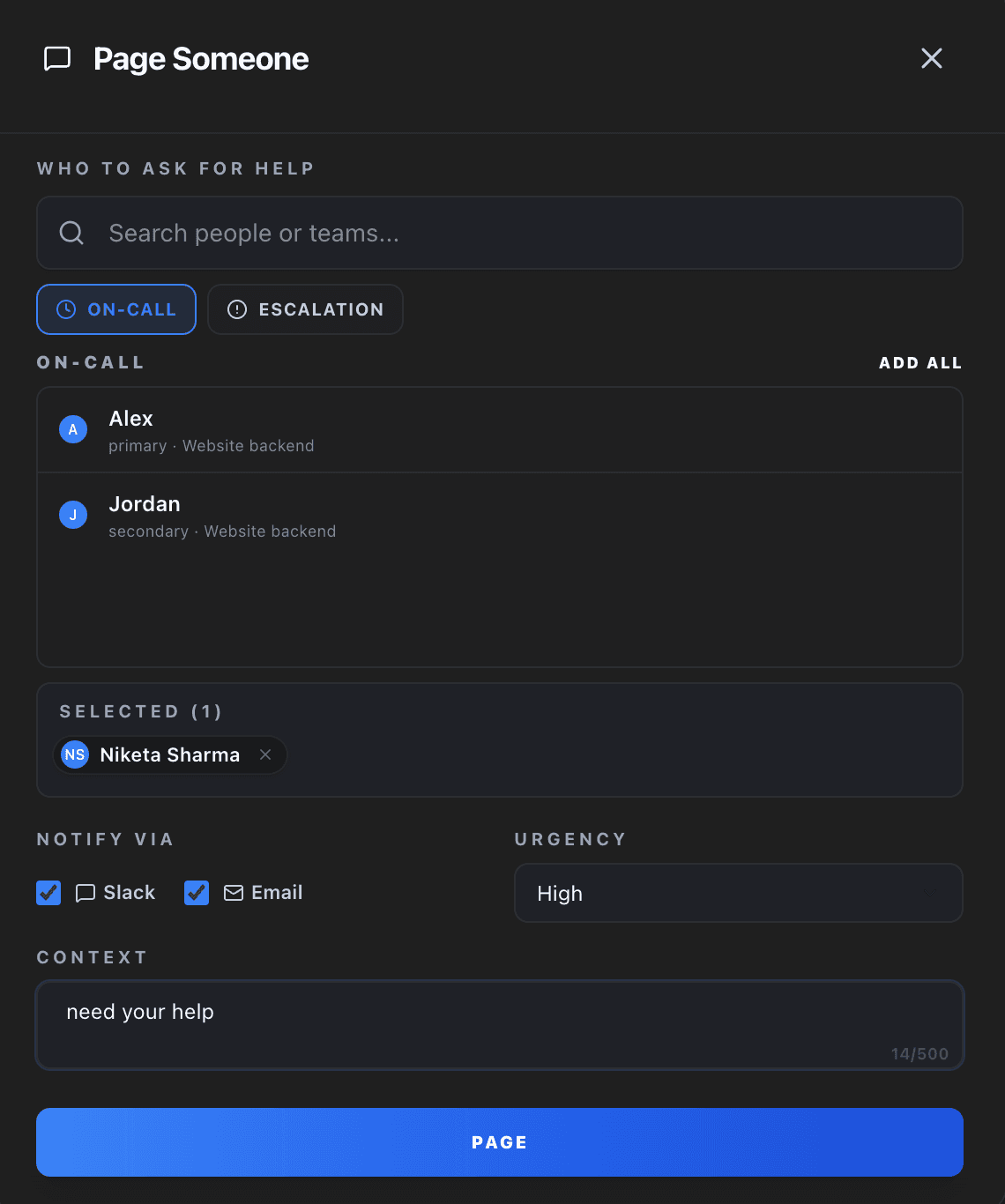
Page someone in seconds
Pick from the on-call rotation or search for anyone on the team. Choose Slack, email, or phone. Add context. Hit page. The person gets the notification immediately with everything they need to start responding.
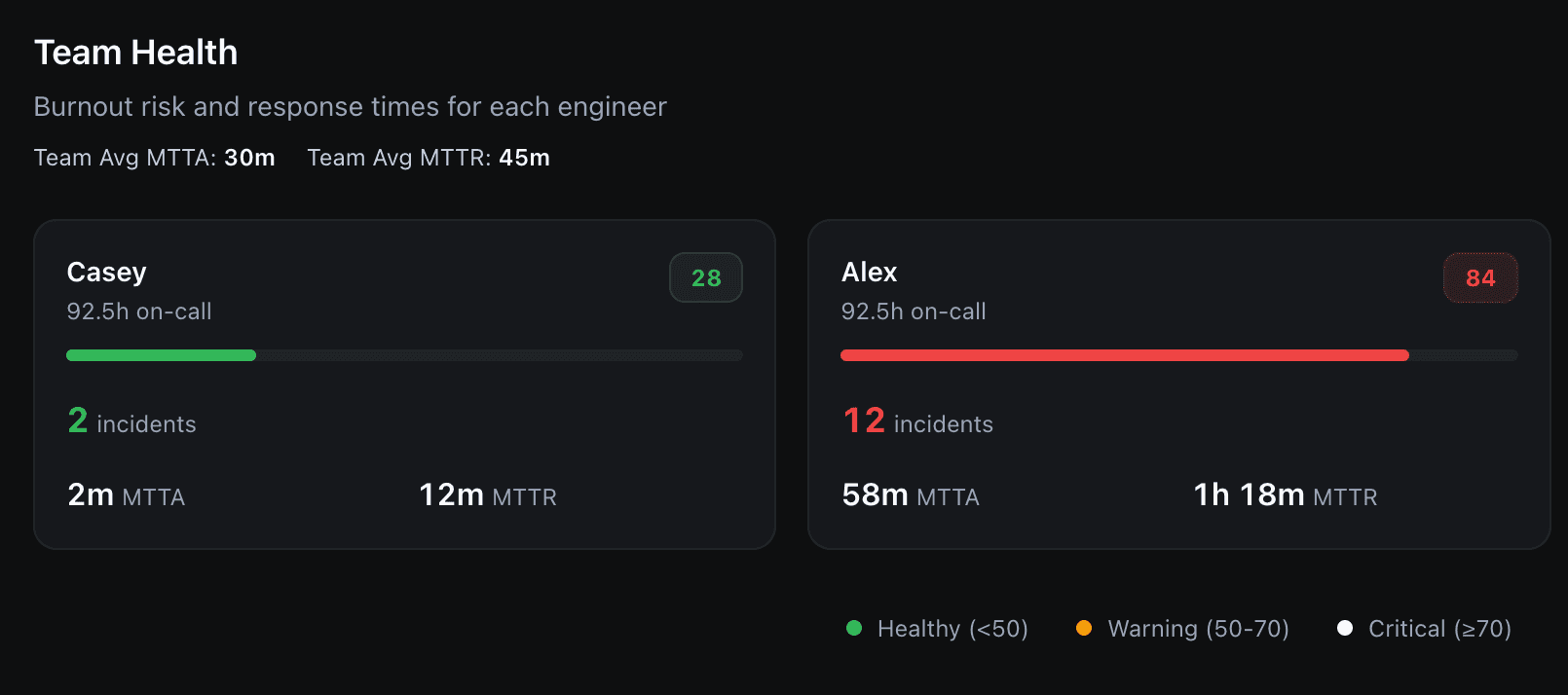
Fair distribution, tracked automatically
Runframe tracks cumulative on-call hours per engineer across every rotation they belong to. If one person is consistently drawing more shifts, because of team size changes, unbalanced swaps, or overlapping service rotations, the imbalance shows up in the load report. Rotation fairness is visible before it becomes a retention problem.
Frequently asked questions
Set up your first rotation in under 5 minutes.
Free plan includes unlimited rotations. No credit card.