Incident analytics that replace spreadsheets.
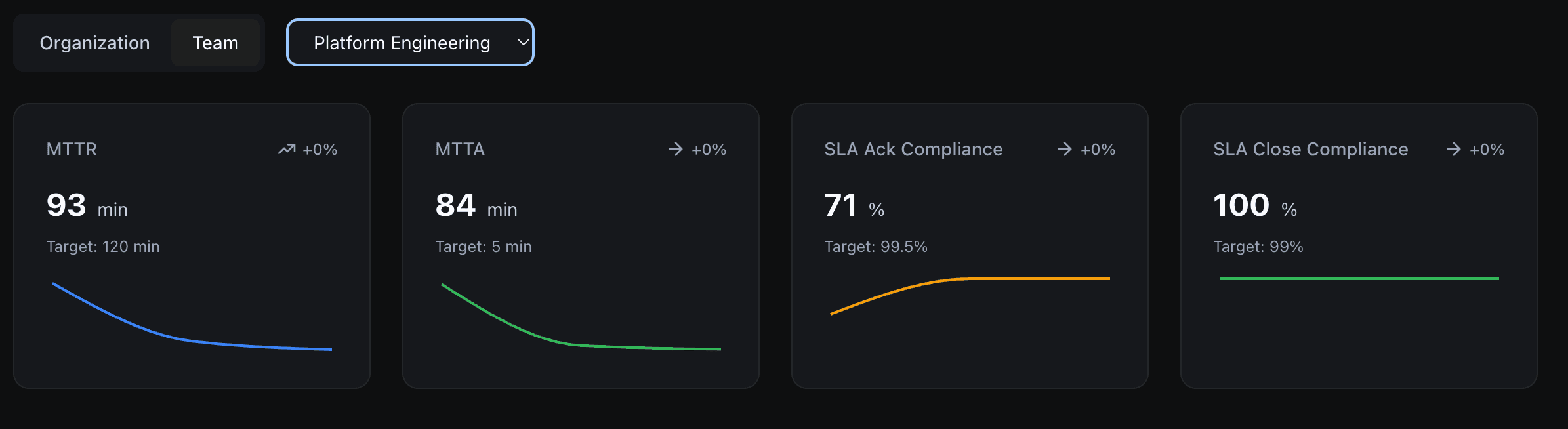
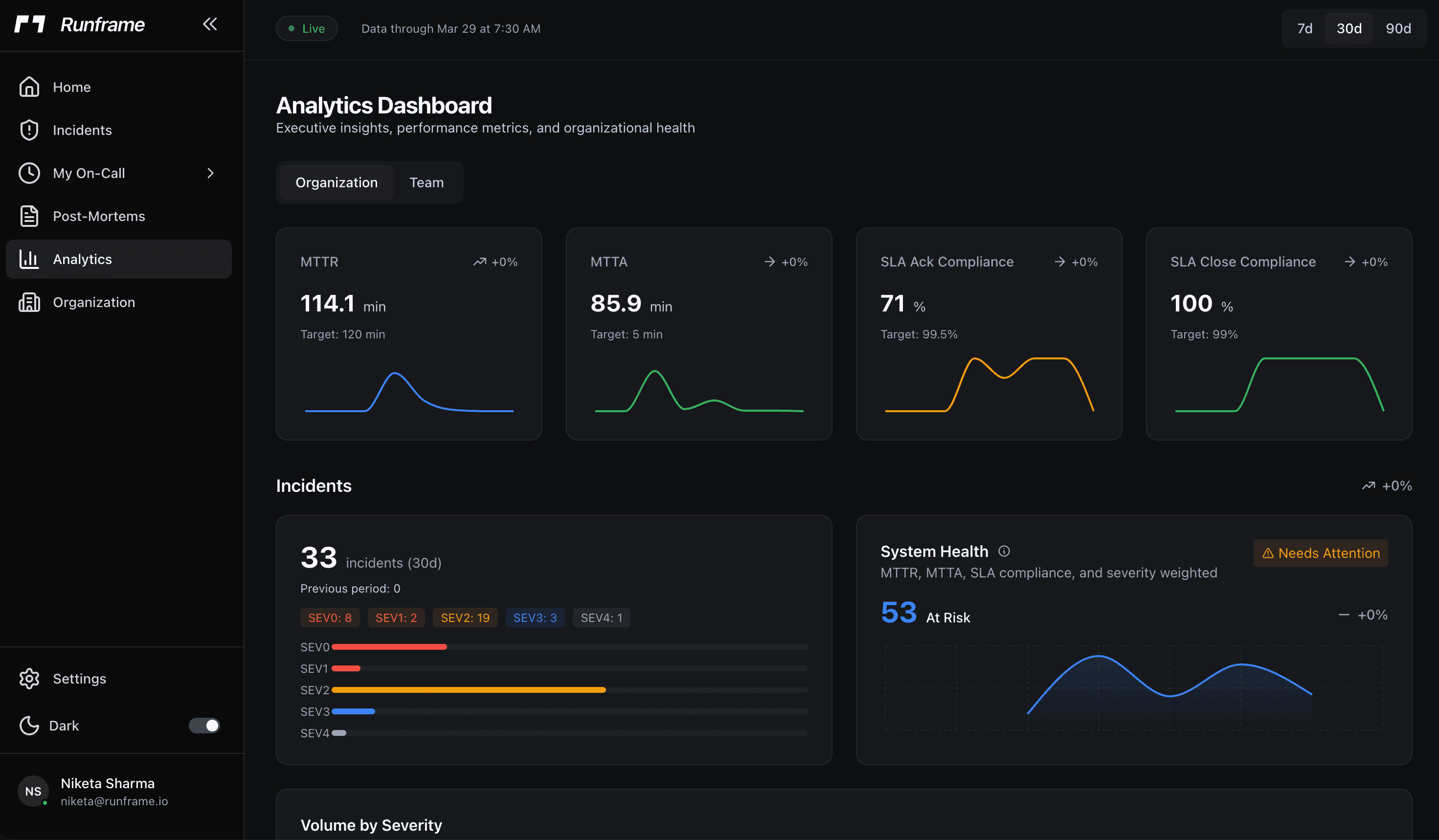
MTTA, MTTR, SLA compliance, and incident trends, tracked automatically from every incident.
MTTA and MTTR: per team, per service, per severity
Response time metrics are only useful when you can slice them. Runframe breaks MTTA and MTTR down by team so you can see which groups respond fastest and where coaching is needed. Break down by service to find the problem areas driving your on-call load. Is the payments service routinely taking twice as long to resolve as the auth service? Break down by severity to confirm that SEV0s are getting faster responses than SEV3s, not just nominally but in practice. Track trends over weeks and months, not just point-in-time snapshots. A single bad week shows up as a spike, not a permanent scar on your numbers.
SLA targets that actually get tracked
Set response and resolution targets per severity level. A SEV0 might require acknowledgement in 5 minutes and resolution in 2 hours, while a SEV3 gets 4 hours to acknowledge and 48 hours to resolve. The compliance dashboard shows your current rate against each target in real-time, not at the end of the quarter. Get alerted when you are falling behind before a customer notices. Monthly and quarterly views give leadership the summary they need without anyone having to pull data manually.
Incident trends tell you where to invest
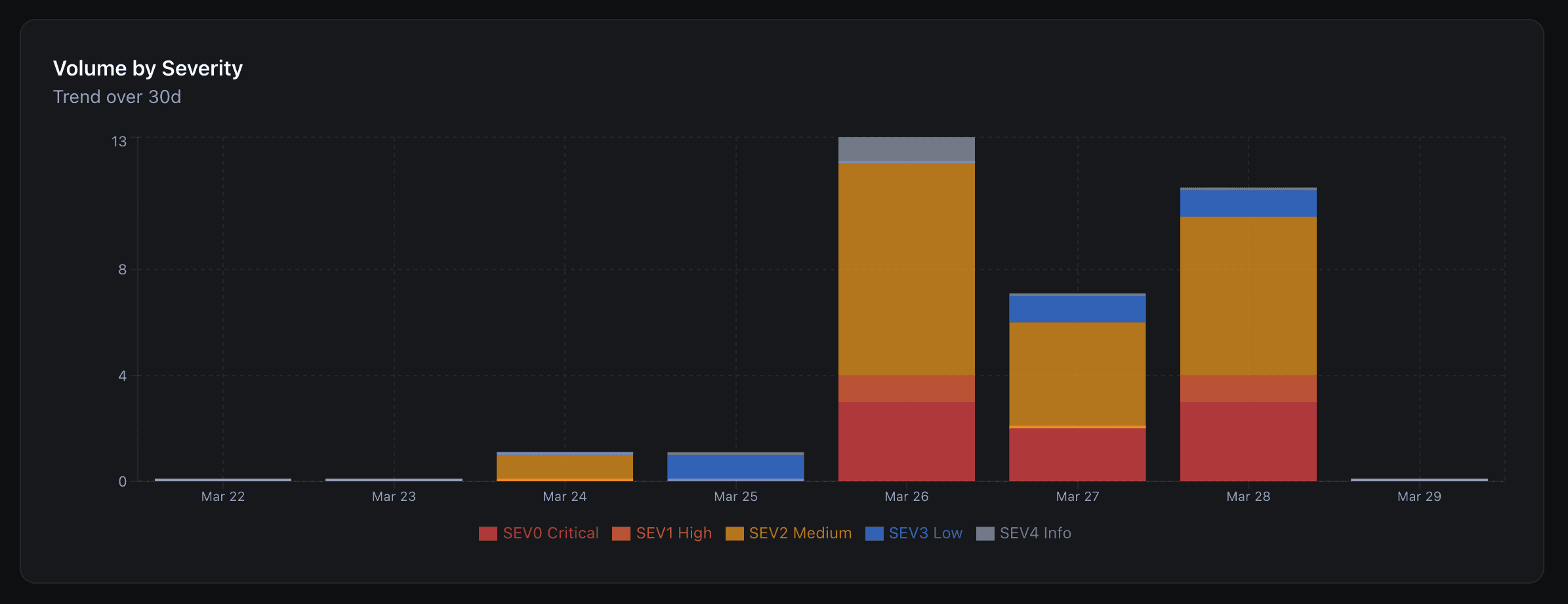
Volume trends show you whether incidents are increasing, decreasing, or shifting between severity levels. Is the checkout service having more SEV1s this quarter than last? Are weekend incidents increasing as you add more automated deployments? Is a particular time of day producing a disproportionate share of your pages? Runframe surfaces these patterns so reliability investments go where they will have the most impact, not where someone had a hunch. A time-of-day heatmap makes the signal obvious even when the raw numbers are noisy.
Frequently asked questions
Replace incident spreadsheets with real analytics.
Analytics included in the Growth plan. Start free.