End-to-end incident management.
No tab switching.
Alert fires, Slack channel opens, team coordinates, postmortem writes itself. All in one place.
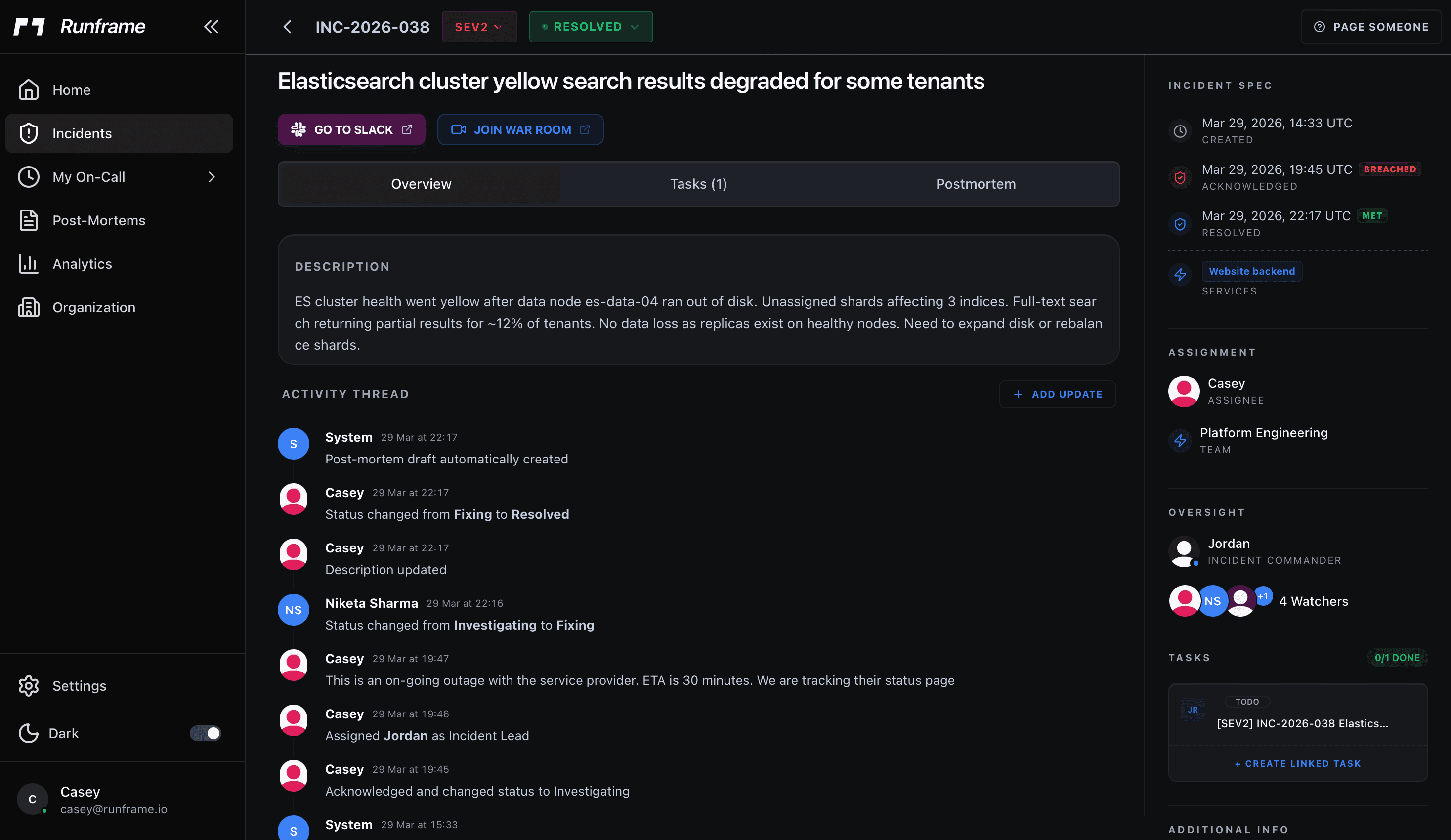
What happens under the hood
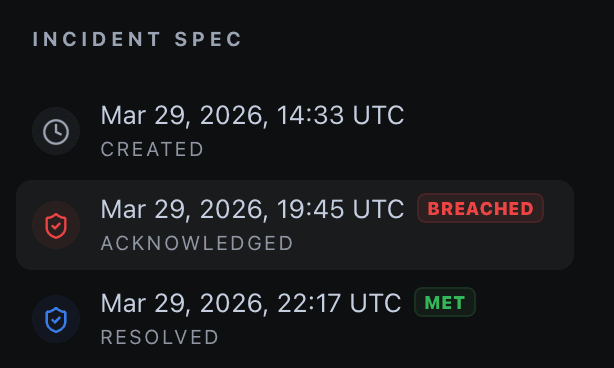
Severity levels with real SLA tracking
Five severity levels, SEV0 through SEV4. You set response and resolution targets per level. SEV0 might need acknowledgment in 5 minutes and resolution in 1 hour. SEV3 gets 4 hours. Change the targets anytime. When an incident is approaching its SLA window, Runframe pages the next person in the escalation chain. Nobody needs to sit there watching a timer.
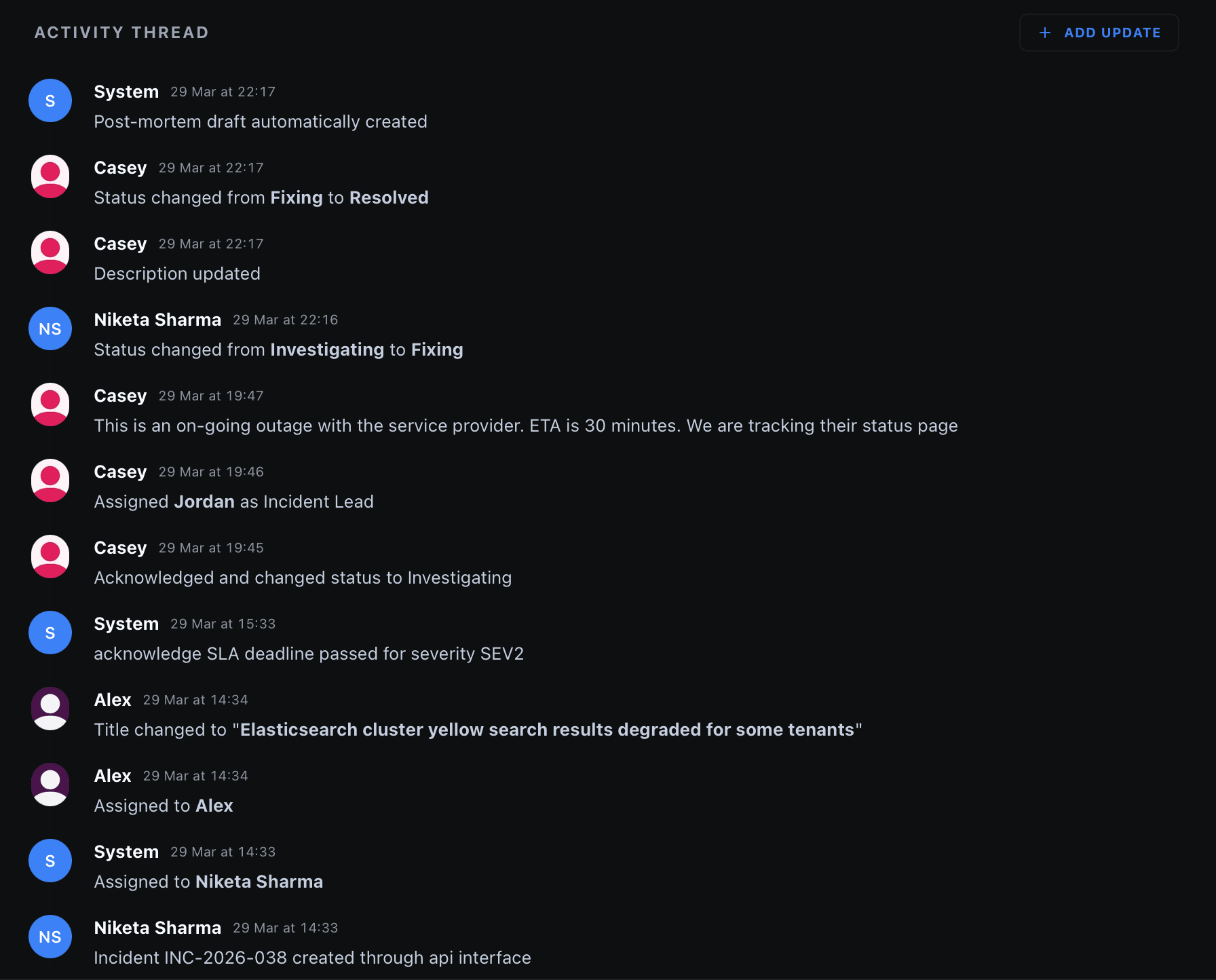
A timeline that writes itself
Status changes, role assignments, Slack messages, manual notes. Everything gets logged to the timeline automatically. Nobody has to remember to write it down. When the incident resolves, that timeline turns into a postmortem draft. Your team adds root cause and action items. The play-by-play is already done.
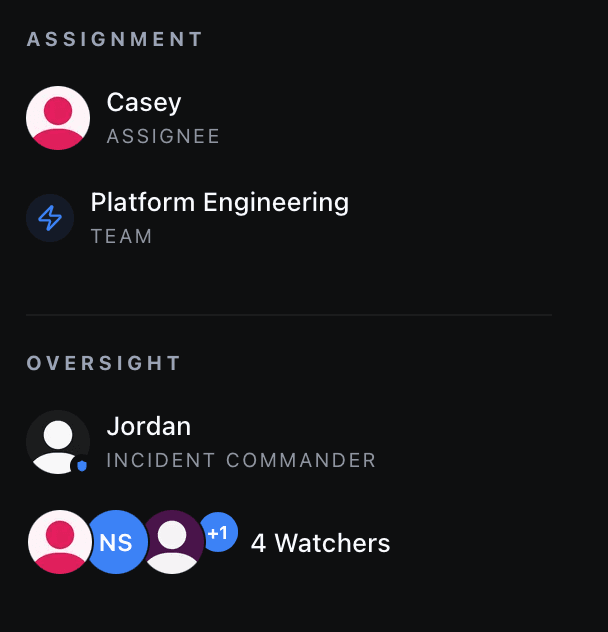
Role assignments that stick
Each incident gets an assignee, a team, and an incident commander. Assigned at creation from the on-call rotation, or manually. Visible in the dashboard and the Slack channel. When people join the war room, they already know who's driving.
Frequently asked questions
Stop managing incidents in spreadsheets.
Free plan available. Set up in under 10 minutes.